
Choosing a drilling simulator is often described as comparing hardware, but the comparison that matters runs through three layers: the console hardware, the simulation engine behind it, and the training scenarios the combination can deliver. This guide compares the main configuration options across those layers, so a training center can match the machine to its budget, its rooms and, most importantly, its curriculum objectives.
Layer One: Console Hardware
The driller’s console is the heart of every system. Configurations differ mainly in scale and completeness: compact desks with the essential controls, standard consoles with full drilling controls and touchscreens, and full-scale cabins with a wrap-around layout, functional drawworks brake, and a complete BOP control panel. The BOP panel deserves special attention in any comparison, because it determines what well control training is possible. A simulator without a faithful BOP console can teach drilling, but it cannot teach shutting in a well under pressure. The table below summarizes the hardware tiers and the institutions each one fits best.
| Hardware Tier | Key Features | Best Fit |
|---|---|---|
| Compact desk | Essential drilling controls, single screen | Classroom theory, orientation |
| Standard console | Driller’s controls, touchscreens, BOP panel | University labs, regional centers |
| Full-scale cabin | Wrap-around console, motion option, full BOP | Certification centers, NOC academies |
| Motion-equipped | Cabin plus vibration and tilt platform | Advanced crew and emergency training |
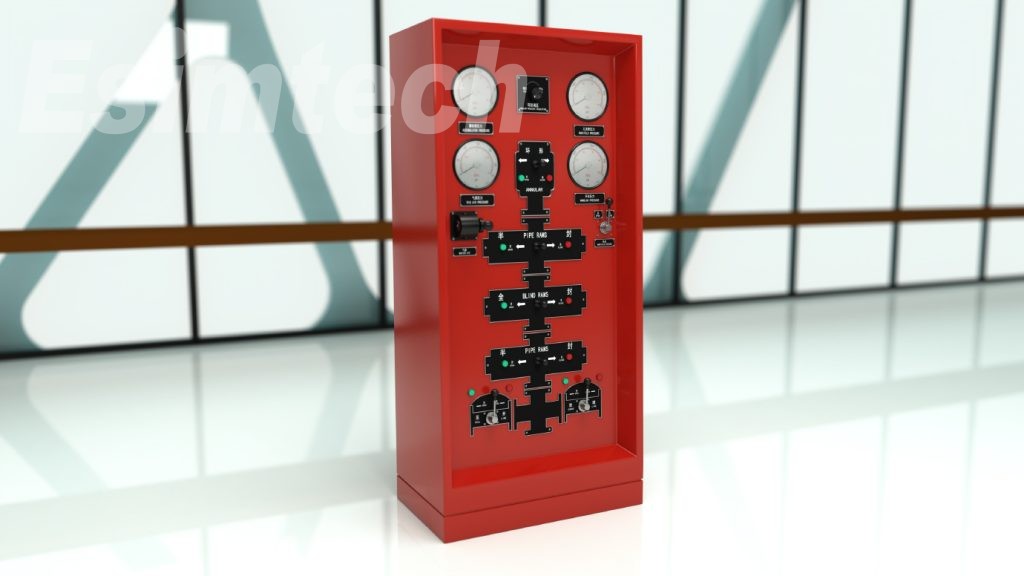 Within each tier, the quality differences are in the details: switch durability, gauge response, and the realism of the brake feel. The
 Layer Two: The Simulation Engine
The engine determines how much of the operation is actually simulated. Entry-level products animate screens; serious systems solve physics. Compare the hydraulics model, whether it calculates pressures and flow along the wellbore in real time; the kick model, how gas migration and expansion are handled; and the failure library, how many equipment and formation faults can be injected. These capabilities decide whether students learn cause and effect or merely memorize alarm responses, and they are the difference between a training tool and a simulation toy.
Layer Three: Scenarios and Operation Flow
The final layer is the curriculum. Compare the number of ready-to-teach scenarios, the coverage of routine operations, connections, tripping, circulation, and abnormal events, kicks, lost circulation, stuck pipe, and whether instructors can build custom scenarios. The drilling simulation software family shares one engine across all hardware tiers, which means a training center can start small and upgrade hardware without losing its scenario library or student records. The operation flow of a good session is standardized: briefing, scenario run, recording, debrief, and institutions that follow this flow consistently get measurably better outcomes.
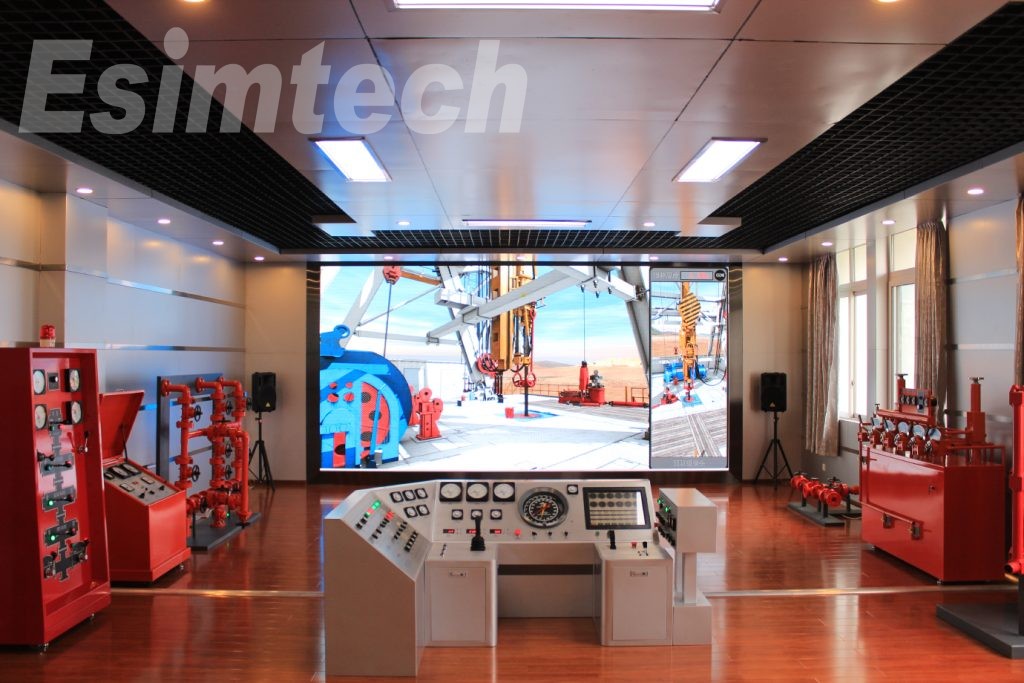 Cost follows function, but not linearly. A standard console with a rich scenario library often delivers more training value than a bare full-scale cabin, because utilization determines return on investment. Model the budget as five-year total cost: purchase, room, installation, instructor training, updates and spares, and compare configurations on cost per trained student per year, which is the number that actually measures value.
A Practical Comparison Method
The most reliable method is a structured demonstration. Prepare three short scenarios before the visit, one routine operation, one well control event, and one equipment failure, and run them on each candidate drilling simulator with your own instructors at the controls. Score realism, ease of instruction, debrief quality and the time needed to set up a new scenario. Then visit or call at least two reference institutions of similar size. If two vendors tie on everything else, choose the one whose instructor community and curriculum support will still be there in five years.
Whatever the tier you choose, buy the deepest scenario library you can afford and the upgrade path that lets the hardware grow with enrollment. That combination protects the investment, keeps the laboratory busy, and produces the outcome every training center is really buying: graduates who perform correctly when it counts.